Modern Tesla ownership requires a strategic balance between maximum security and energy efficiency. While Sentry Mode offers a robust “digital sentry” for your vehicle, improper configuration can lead to unnecessary phantom drain that eats into your daily range and your overall Return On Investment.
Managing the Cost of Vigilance
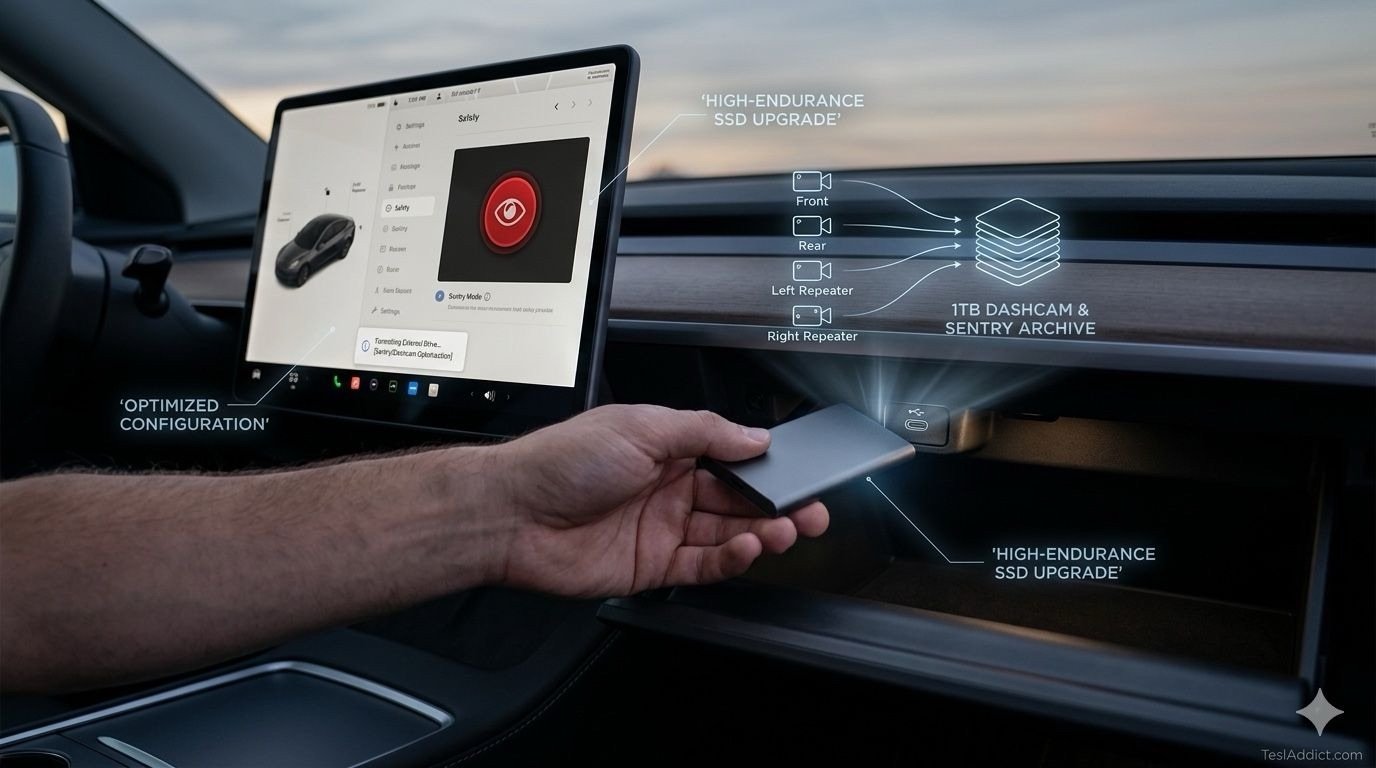
Keeping your Tesla’s computer awake to monitor its surroundings consumes roughly 1 mile / 1.6 km of range per hour. While this seems negligible, a weekend stay at an airport in Toronto or Chicago can result in a loss of over 50 miles / 80 km of range. To protect your battery state of health and reduce charging costs, utilize the “Exclude Home” and “Exclude Work” features in your Safety settings. By disabling the system in known secure locations—like a private driveway in Hamilton or a gated community in Florida—you preserve energy for driving while ensuring the system remains active in high-risk public areas.
High-Endurance Storage as an Insurance Policy
The factory-included 128GB USB drive is often insufficient for owners who record frequent Sentry events or high-definition Dashcam footage. Once full, the system begins overwriting the oldest clips, which could result in the loss of crucial evidence from a hit-and-run or parking lot incident. Upgrading to a high-endurance 1TB portable SSD provides the storage depth needed to keep months of footage secure. These drives are specifically engineered to withstand the thermal stress of a cabin that can reach 140°F / 60°C in the summer or -40°F / -40°C in a Canadian winter.
Check out the Samsung T7 Shield 1TB Portable SSD on Amazon
Fine-Tuning Software for Instant Retrieval
Your Dashcam is only useful if it saves the footage you actually need. Set your Dashcam to “Auto” to ensure the vehicle permanently archives video during a collision or hard-braking event. Additionally, enable the “Save Clips on Honk” feature; this allows you to manually flag the previous ten minutes of video by simply tapping your horn. Whether you witness an erratic driver on the QEW or a close call on a US Interstate, this manual override ensures the evidence is locked and ready for review without needing to navigate menus while driving.
Physical Maintenance for Visual Clarity
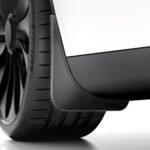
The most sophisticated AI-driven security system is useless if the camera lenses are obscured by road grime, salt, or mud. The side repeater cameras on the front fenders are particularly prone to “blindness” during seasonal transitions. To significantly reduce lens obstruction and protect your paint from road debris, consider installing a set of custom-fit, no-drill mud flaps. These accessories act as a physical barrier, keeping your side cameras clear and ensuring your Sentry Mode footage remains high-definition regardless of the weather.
Check out this Tesla Model Y Mud Flaps on Amazon
Strategic Power Management
Remember that Sentry Mode is programmed to automatically disable when the battery reaches 20%. This built-in safeguard ensures you always have enough energy to reach a Supercharger, even if the car has been parked for an extended period. For those utilizing Ontario’s Ultra-Low Overnight (ULO) rates, the energy used by Sentry Mode costs only 3.9¢ per kWh, making it a highly affordable insurance policy when managed correctly. By optimizing these settings, you ensure your Tesla remains a secure, high-yield asset that protects itself without wasting resources.