
Congratulations—you just bought your first Tesla.
Then comes the learning curve.
How much should you charge it? Should you plug it in every night? Is Supercharging bad for the battery? What happens in a Canadian winter? How does regenerative braking work? Do you actually need to service anything? And what exactly are you supposed to do when Autopilot or Full Self-Driving (Supervised) is driving?
The good news is that Tesla ownership is simpler than it initially appears.
This guide covers the things we wish every new Canadian Tesla owner knew from day one—without requiring you to read the owner’s manual from beginning to end.
Quick Takeaway
If you remember only a few things, start here:
- Set up your Phone Key, but keep a Key Card accessible as backup.
- Follow the charge limit recommended by your Tesla rather than copying another owner’s charging routine.
- Plug in regularly. You do not need to run the battery low before charging.
- Home Level 2 charging is usually the most convenient everyday solution.
- Use Superchargers when you need them without being afraid of them.
- Navigate to a Supercharger so your Tesla can prepare the battery for fast charging when appropriate.
- Precondition the cabin and battery before winter departures when practical.
- Learn regenerative braking before assuming something is wrong with the car.
- Watch your tires—EV torque and vehicle weight can make tire condition particularly important.
- Remember that Autopilot and FSD (Supervised) still require an attentive driver.
- Know your warranty before you need it.
1. Set Up the Tesla App First
The Tesla app is effectively part of the vehicle.
From your phone you can control or monitor functions including:
- Locking and unlocking
- Climate
- Charging
- Charge limits
- Vehicle location
- Security
- Software updates
- Service appointments
Spend some time exploring the app before you actually need one of these functions.
2. Set Up Phone Key—but Keep Your Key Card
Once Phone Key is configured, your Tesla can automatically detect your authorized phone as you approach.
That makes everyday entry remarkably seamless.
But phones can run out of battery, Bluetooth can misbehave and devices can be lost or damaged.
Keep a Tesla Key Card accessible as your backup.
Do not make the mistake of leaving your only backup Key Card somewhere you cannot access if your phone stops working.
3. Create Your Driver Profile
Set up your driver profile early.
Depending on your Tesla and software version, driver profiles can retain preferences such as:
- Seat position
- Steering-wheel position
- Mirror position
- Driving preferences
- Navigation settings
- Climate preferences
If multiple people drive the Tesla, give each person their own profile rather than constantly adjusting the vehicle manually.
4. Regenerative Braking Will Feel Strange—Then Normal
One of the biggest adjustments when moving from a gas vehicle to a Tesla is regenerative braking.
Lift your foot from the accelerator and the vehicle begins slowing while recovering energy back into the battery.
After some practice, you’ll perform much of your everyday driving primarily with the accelerator pedal.
Do not panic if regenerative braking is temporarily reduced.
Factors such as a cold or very full battery can limit the amount of energy the battery can accept. Depending on the vehicle and settings, Tesla may use the regular brakes to provide more consistent deceleration when regenerative braking is limited.
5. Don’t Automatically Charge to Whatever Someone Online Recommends
One of the first things new owners encounter online is the debate over whether a Tesla should be charged to 70%, 80%, 90% or 100%.
The better answer is much simpler:
Follow the daily charging recommendation displayed by your particular Tesla.
Tesla vehicles can use different battery chemistries with different charging recommendations.
If your Tesla recommends an 80% daily charge limit, use that for normal driving and increase it when additional range is needed.
If your vehicle displays a different recommendation, follow the guidance for that battery.
Tesla’s Official Charging Information →
6. You Don’t Need to Run the Battery Low Before Charging
This habit comes from older battery technology and gasoline-car thinking.
You do not need to wait until your Tesla reaches 10% or 20% before plugging it in.
Tesla recommends regular charging rather than routinely waiting for the battery to become very low.
If you drive from 80% to 65% during your commute, there is nothing wrong with plugging the vehicle back in that evening.
7. Home Charging Changes the Ownership Experience
If you can install home charging, it is one of the biggest conveniences of EV ownership.
Instead of visiting a gas station, you arrive home, plug in and wake up with the energy you need.
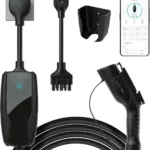
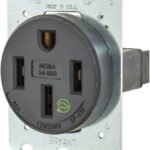
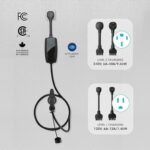
A 240-volt Level 2 setup is ideal for many owners, although your actual requirements depend on your daily driving, electrical service and vehicle.
For Canadians with predictable overnight parking, home charging also makes winter preconditioning considerably easier.
8. Supercharging Is Normal—Don’t Be Afraid of It
Superchargers exist to be used.
They are particularly useful for road trips, long-distance travel and situations where you need energy quickly.
Tesla recommends Level 1 or Level 2 charging whenever practical for everyday charging, while positioning Supercharging primarily for longer journeys.
That does not mean an occasional Supercharging session is harming your Tesla.
Use the charging method that makes sense for the situation.
9. Navigate to a Supercharger—Don’t Just Drive There
When heading to a Supercharger, select the charging location using Tesla navigation.
When appropriate, the vehicle can prepare the high-voltage battery for faster charging as you approach.
New owners sometimes drive directly to a familiar Supercharger without putting it into navigation and then wonder why charging performance is different from what they expected.
Let the vehicle know where you’re going.
10. You Usually Don’t Need 100% at a Supercharger
Charging becomes progressively slower as a battery approaches a high state of charge.
On a road trip, Tesla’s Trip Planner calculates charging stops and how much energy you need to continue.
In many situations, it is faster to leave with enough energy to comfortably reach the next stop rather than sitting at a charger waiting for 100%.
Charge for the journey—not simply because 100% feels psychologically complete.
11. Canadian Winter Changes Everything—But It Is Manageable
Your first Canadian winter in an EV will teach you quickly that cold weather affects energy consumption.
Expect higher consumption because the vehicle must warm:
- The cabin
- The battery
- Seats and other systems
Cold batteries can also temporarily reduce regenerative braking and charging performance.
This is normal EV behaviour, not necessarily battery degradation.
12. Precondition Before You Leave in Winter
One of the best Tesla winter habits is also one of the easiest.
When practical, warm the vehicle before departure while it is still plugged in.
This lets the vehicle use external power for some of the energy needed to prepare the cabin and battery instead of relying entirely on stored battery energy after you leave.
You also get into a warm, defrosted vehicle instead of scraping ice while freezing in the driveway.
13. Don’t Obsess Over the Displayed Range Number
New owners often watch the estimated range like a gasoline fuel gauge and become concerned when the number changes.
Actual energy consumption depends on factors including:
- Speed
- Temperature
- Wind
- Elevation
- Cabin heating or cooling
- Driving style
- Tire pressure
- Road conditions
For everyday use, many owners find battery percentage more intuitive than displayed kilometres.
On road trips, pay attention to Tesla’s navigation and projected arrival state of charge.
14. Let Tesla’s Trip Planner Do the Work
Long-distance EV travel can initially seem complicated.
Tesla’s navigation removes much of that complexity.
Enter your destination and the vehicle can calculate:
- Where to charge
- When to charge
- Estimated charging duration
- Projected battery level at arrival
You can adjust the trip as needed, but new owners should first learn how Tesla’s own planner behaves before trying to manually micromanage every charging stop.
15. Understand Sentry Mode Before Leaving It On Everywhere
Sentry Mode can monitor the vehicle’s surroundings while parked and record certain security events.
It is useful—but it also consumes energy.
If you leave your Tesla parked for an extended period without charging, Sentry Mode and other background functions can contribute to battery consumption.
Use security features intelligently rather than assuming every feature must remain enabled everywhere.
16. Learn How Dashcam Works Before You Need the Footage
Your Tesla can record driving footage using its exterior cameras when properly configured.
Learn:
- How Dashcam recording works
- How to save a clip
- Where saved clips appear
- How the USB storage system works
Do this now—not after an incident when you’re urgently trying to figure out whether the footage was saved.
17. Turn On PIN to Drive if You Want Another Security Layer
PIN to Drive requires a PIN before the vehicle can be driven.
For owners who want additional protection beyond Phone Key authentication, it is worth considering.
Explore the rest of Tesla’s security settings while you’re there so you understand what your vehicle can do.
18. Autopilot and FSD (Supervised) Do Not Make You a Passenger
This is one of the most important things a new Tesla owner needs to understand.
Driver-assistance features can perform impressive steering, acceleration, braking and navigation functions depending on your vehicle, software and purchased features.
But Tesla’s current FSD product is explicitly called Full Self-Driving (Supervised).
The driver remains responsible for supervising the vehicle and being prepared to intervene when necessary.
Do not treat FSD (Supervised) as an autonomous chauffeur.
Tesla FSD Driver Responsibilities: When Should You Take Over? →
19. Learn the Emergency Door Releases—But Don’t Use Them Routinely
Your Tesla’s normal electronic door release should be used for everyday operation.
However, you and your regular passengers should also know how the manual emergency releases work in case electrical power is unavailable.
The location and procedure can vary by model and seating position.
Check the owner’s manual for your particular Tesla rather than assuming every door works the same way.
20. Check Your Tire Pressure Regularly
EVs are heavy and deliver immediate torque.
Tire condition affects:
- Safety
- Range
- Efficiency
- Ride quality
- Handling
Use the pressure recommended for your vehicle rather than relying on the maximum pressure printed on the tire sidewall.
Also inspect tread wear across the entire tire, including the inner edges.
21. Tesla Maintenance Is Low—not Zero
You don’t have engine oil, spark plugs or many of the routine services associated with a gasoline vehicle.
But your Tesla still needs maintenance.
Depending on model, conditions and usage, that can include:
- Tires and rotations
- Wheel alignment when needed
- Brake-fluid checks
- Cabin air filters
- Wiper blades
- Brake servicing
Canadian owners should pay particular attention to brakes because regenerative braking can reduce friction-brake use while winter road salt can contribute to corrosion.
Tesla recommends periodic brake-caliper cleaning and lubrication for applicable vehicles operated where roads are salted during winter. Check the current maintenance schedule for your specific model.
Tesla Canada Vehicle Maintenance Guide →
22. Learn How Tesla Software Updates Work
Your Tesla will receive over-the-air software updates that can add features, change interfaces, improve existing functions and address bugs.
Connect the vehicle to reliable Wi-Fi when practical.
When an update becomes available, review the release notes before assuming the vehicle will behave exactly as it did yesterday.
Tesla also provides a Software Update Preference setting. Owners interested in receiving eligible updates sooner can review the available preference in Controls → Software.
23. Learn How Tesla Service Works
Tesla’s service experience is different from calling a traditional dealership.
Most service requests begin in the Tesla app.
You select the concern, describe the problem, upload supporting photos if useful and follow the prompts.
Tesla may perform remote diagnostics, offer Mobile Service or direct you to a Service Centre depending on the issue.
How Tesla Service Visits Work →
24. Know Your Warranty Before You Need It
For most new Teslas sold in Canada, the Basic Vehicle Limited Warranty is generally 4 years or 80,000 km, whichever comes first.
Separate warranties apply to the Supplemental Restraint System and Battery and Drive Unit.
Battery and Drive Unit coverage varies by model and configuration.
Do not wait until something fails to learn what is covered.
Check Tesla Canada’s Vehicle Warranty Information →
Before Your Tesla Warranty Ends, Check These Things →
25. Enjoy the Car—You Don’t Need to Optimize Everything
New Tesla owners can easily fall into an optimization rabbit hole.
Should you charge at 76% instead of 80%?
Is one Supercharging session bad?
Did winter permanently destroy 40 km of range?
Should you turn off every background feature?
Usually, the answer is much less dramatic.
Your Tesla has sophisticated battery and thermal-management systems. Follow Tesla’s recommendations, maintain the vehicle properly and use the features you paid for.
You bought the car to drive it.
10 Settings to Check on Day One
| Setting | Why Check It? |
|---|---|
| Phone Key | Sets up seamless everyday vehicle access. |
| Driver Profile | Saves your preferred driving position and settings. |
| Daily Charge Limit | Confirms the charging recommendation appropriate for your vehicle. |
| Scheduled Charging / Preconditioning | Can improve convenience and help with winter departures. |
| PIN to Drive | Adds another layer of vehicle security. |
| Sentry Mode | Lets you decide when additional parked-vehicle monitoring is worthwhile. |
| Dashcam | Make sure you |