If your departure time follows your alarm rather than a fixed schedule, an iPhone automation can request Tesla preconditioning when you stop that alarm. Set it up only if your installed Tesla app exposes the required Shortcuts action, then test it before relying on it for a cold morning.
Choose the alarm trigger
- Open Shortcuts → Automation on your iPhone and add a personal automation.
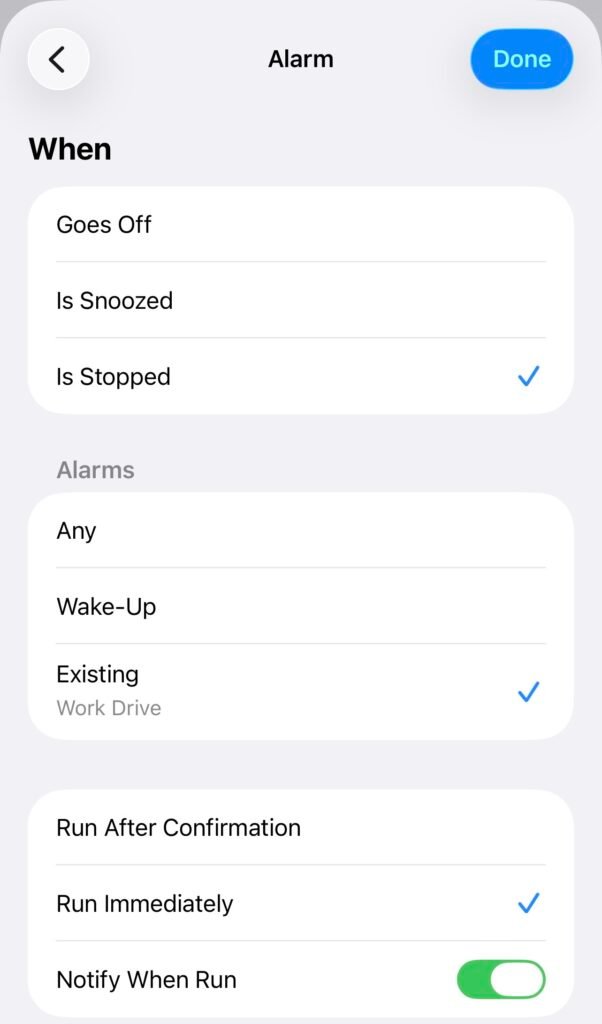
- Choose Alarm → Is Stopped.
- Select the specific alarm you use, or the Wake-up option if you use Apple’s Sleep schedule. The choices depend on your iOS version.
- Choose Run Immediately if offered. On older interfaces, turn off Ask Before Running after reviewing what will run.
Apple documents the Alarm trigger options and which automations can run without confirmation. Stopping the selected alarm triggers the action even if you later decide to stay home.
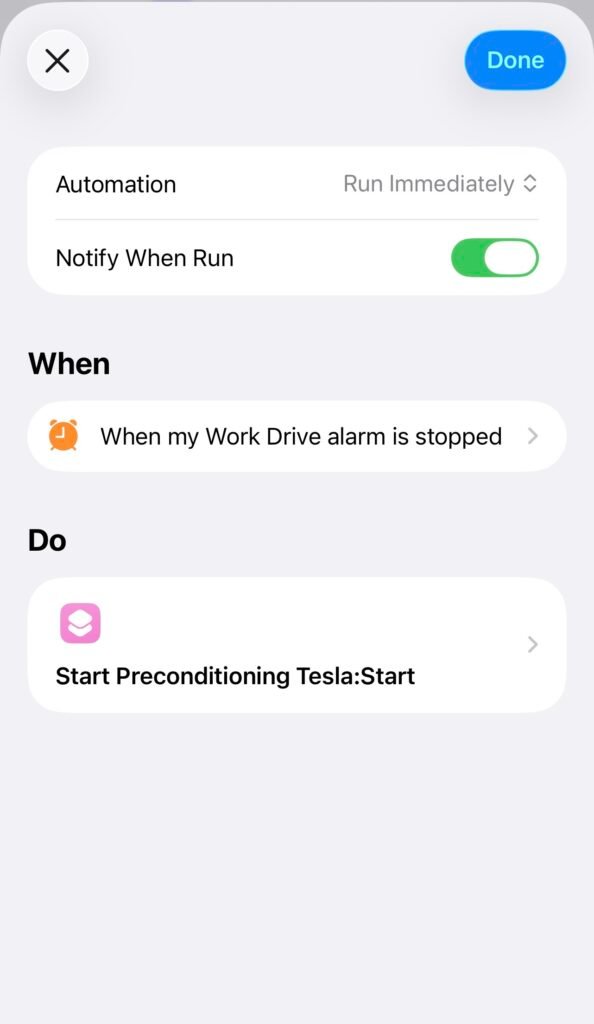
Add the Tesla action
- Create a blank automation and search its actions for Tesla.
- If available, select Precondition Vehicle, set it to Start, and choose the correct vehicle.
- Review any permission prompts and save the automation.
If that action is missing, update and open the Tesla app, confirm you can control your vehicle normally, then check Shortcuts again. Do not select an unrelated third-party action or share your account credentials to reproduce this example.
Test the request and check the car
Use a temporary alarm while you are available to observe the result. Stop it, confirm that the automation ran, and check the Tesla app to see whether climate started. Network access, account permissions, software and vehicle conditions can prevent a request from completing.
This trigger requests preconditioning when the alarm stops; it does not guarantee that the battery and cabin will be ready when you leave. Keep the vehicle plugged in when practical, and stop climate manually if your plans change.
Use Tesla’s schedule for a regular departure
For a consistent commute, Tesla’s scheduled preconditioning is often easier: select the departure time in the vehicle or app and let the car prepare for it. Check the schedule’s location and repeat settings. Choose the alarm automation when that trigger better matches your routine.
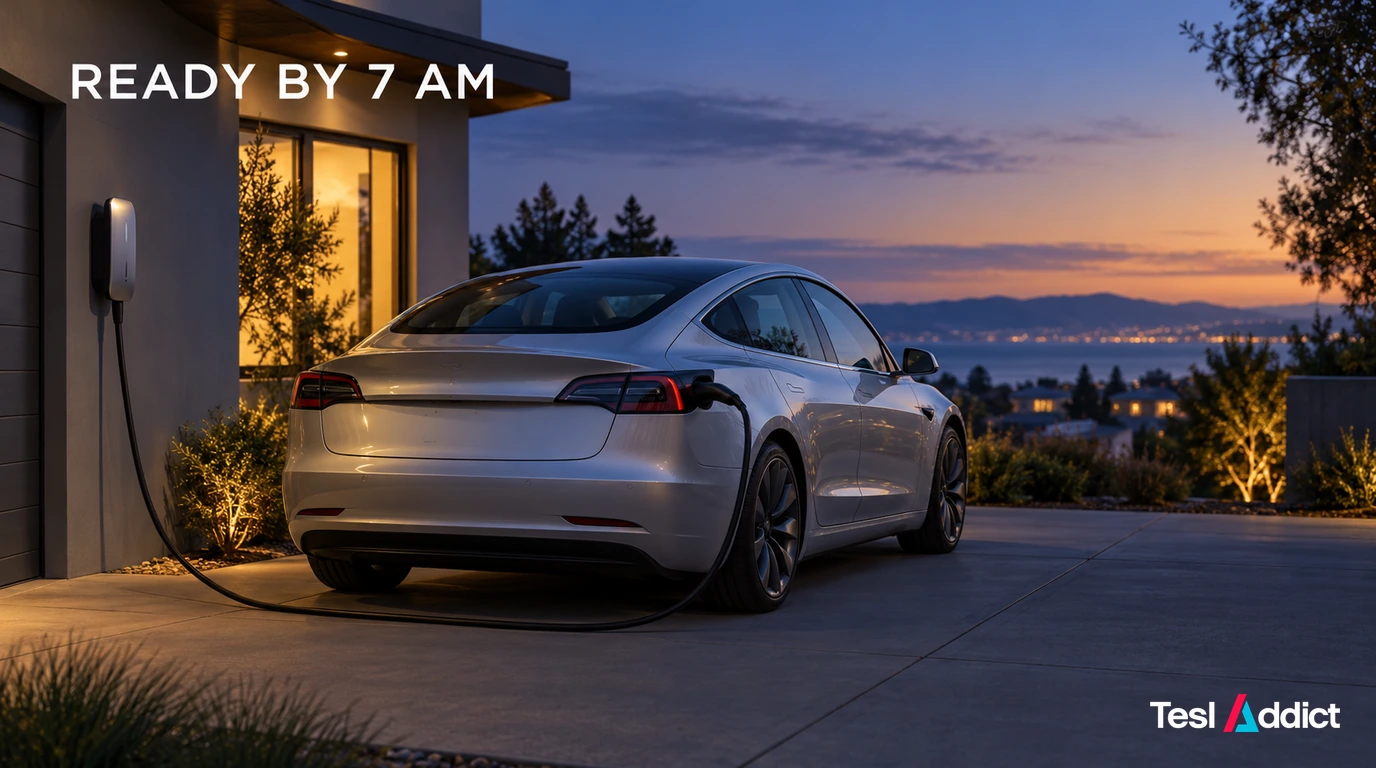
If you are also equipping your driveway, the Autel AC Lite offers home charging with scheduling; check connector and circuit requirements. A battery-free key ring is an optional backup for vehicle access.