
A compatible Cybertruck can extend a Powerwall 3 system’s outage backup by supplying energy from the vehicle. Start with your equipment, essential loads and driving reserve to estimate whether that capability is useful at home.
But owning a Cybertruck and a Powerwall does not automatically mean your home is ready. The Powerwall generation, charging equipment, software and installation all matter.
Compatibility checked October 16, 2026: Tesla’s installer compatibility table lists Powerwall 3 integration as available for Cybertruck and compatible Model 3 and Model Y vehicles. Powerwall 2 and Powerwall+ support remains forthcoming. This guide’s calculator and worked example focus on Cybertruck.
The quick answer
- Powerwall 3: Tesla lists home-backup integration as available with a compatible Cybertruck and a Universal or Gen 3 Wall Connector.
- Powerwall 2 and Powerwall+: Installation readiness does not mean the feature is enabled; Tesla still lists support as coming soon.
- Separate Powershare Gateway: Tesla says not to install one with a Powerwall system.
- Model 3 or Model Y: Some vehicles now support Powershare; verify the exact vehicle rather than assuming compatibility from its model name.
Estimate your outage backup time
The useful question is how long your essential loads could run while leaving enough energy in the truck for driving. Start with a no-solar estimate, then consider how much usable solar energy might arrive during the outage.
Your backup estimate
Input help & assumptions
Planning estimate only, not a compatibility check or guarantee of uninterrupted power. Truck surplus means energy above your driving reserve.
1 kW averaged over a day uses 24 kWh. Include appliances that cycle on and off.
Includes compatible 13.5 kWh Expansion units for energy capacity only.
Reduce for partial charge, degradation or energy you intend to retain.
Use available energy, not total pack capacity. Enter 0 to compare Powerwall alone.
Use energy your backup system could capture during the outage, not panel capacity in kW.
24 hours is one day; 72 hours is three days.
Available stored energy = [(Powerwall units × 13.5 kWh × available percentage) + Cybertruck energy above reserve] × 0.90. No-solar runtime = available stored energy ÷ average load.
The 10% deduction is an illustrative planning allowance for losses and uncertainty, not a Tesla efficiency specification.
The solar comparison spreads your daily estimate across the selected period. It does not simulate sunrise, weather, charging limits, curtailment or overnight depletion. A positive energy balance does not prove continuous backup. Temperature, battery condition, system overhead and changing loads can reduce runtime.
Tesla specifies 13.5 kWh of nominal energy per Powerwall 3. The calculator uses that figure as its starting point, then lets you reduce the portion available for an outage.
What actually happens when the power goes out?
Powerwall initially supplies the home after the system disconnects from the utility grid. When Powerwall’s stored energy becomes low, the connected Powershare-capable vehicle can supply the home and recharge Powerwall. Once Powerwall reaches a higher energy level, the vehicle stops discharging and Powerwall resumes supplying backup.
That operating sequence matters: this is a coordinated backup system, rather than two batteries continuously delivering their maximum output together. Tesla describes the sequence in its Powerwall Powershare system-operation guide.
Your driving reserve still matters. The Cybertruck owner’s manual explains that Powershare stops supplying energy when the battery reaches its discharge limit. Decide how much driving energy you need before treating the remaining capacity as household backup.
Model 3 and Model Y compatibility has expanded
Tesla now says Model 3 and Model Y vehicles ordered in the United States and Puerto Rico after October 1, 2026 are Powershare-capable, as are some earlier vehicles. With firmware 2026.32.6 or later, open Controls → Software → Additional Vehicle Information and look for Powershare Support: Enabled. See Tesla’s Powershare compatibility guidance.
This does not establish availability for every Canadian vehicle or retrofit compatibility for every older car. Ask the installer to confirm the exact vehicle and home system. Do not apply the Cybertruck energy assumptions below to a different vehicle.
Your equipment and setup checklist
1. Confirm the exact hardware
Ask your installer to identify the Powerwall model and Wall Connector generation. Tesla’s Powerwall-specific equipment list includes both the Universal Wall Connector and Gen 3 Wall Connector. A generic home EV charger is not an equivalent substitute.
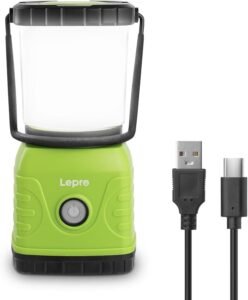
A rechargeable camping lantern is a useful standalone light during an outage. Charge it beforehand; it is separate from the home-backup system and does not extend Powerwall runtime.
2. Check the home-energy software as well as the truck
A vehicle update alone is not the complete setup. Tesla’s commissioning instructions specify these minimum versions:
- Powerwall 3 software: 26.26.10.
- Tesla One installer app: 26.15.
- Tesla customer app: 4.60.
The Wall Connector must also be registered with the Powerwall site, and Powershare Home Backup must be enabled during device setup. These minimums remain in Tesla’s setup instructions; have the installer confirm current requirements and compatible vehicle firmware.
3. Have the installation checked
Tesla requires the Wall Connector breaker to be within the backed-up circuit, with Powerwall and Wall Connector on the same Wi-Fi network. The installer must also account for the Wall Connector as a generation source in electrical calculations.
Tesla explicitly instructs installers not to add a Powershare Gateway to a Powerwall system. An existing installation may still need electrical or networking work, so “no separate gateway” should not be read as “no installation cost.” See Tesla’s installation overview.
How much difference could Cybertruck make?
Consider an illustrative household with two full Powerwalls and 60 kWh available from Cybertruck above its driving reserve.
After the calculator’s 10% planning allowance, that is 78.3 kWh available. Without solar, the same energy produces very different results depending on what the home consumes:
| Average household load | Daily consumption | Estimated duration |
|---|---|---|
| 0.5 kW | 12 kWh | 157 hours / 6.5 days |
| 1 kW | 24 kWh | 78 hours / 3.3 days |
| 2 kW | 48 kWh | 39 hours / 1.6 days |
| 3 kW | 72 kWh | 26 hours / 1.1 days |
These are calculated scenarios, not measured Tesla performance. They show why choosing essential circuits can matter as much as adding battery capacity.
Build your load estimate around the equipment you actually need: refrigeration, lighting, communications, necessary pumps and appropriate heating or cooling. Use measured consumption where possible. An appliance’s maximum wattage is not necessarily its average consumption over a day.
Enough energy does not mean enough power
Energy, measured in kWh, determines how long a system can run. Power, measured in kW, determines how much it can supply at once.
A home might have enough stored energy for several days yet exceed its available output when multiple large appliances start together. Tesla lists Cybertruck’s maximum Powershare draw as 11.5 kW, with the actual limit potentially constrained by the charging installation. Do not simply add that figure to Powerwall’s rating to size your household loads. Tesla’s operating limits also identify cold battery conditions and excessive household demand as possible interruptions.
Your installer should check sustained loads, motor-starting requirements and which circuits remain available during backup. The runtime calculator cannot perform that electrical assessment.
Solar helps—but plan for a poor-weather outage
Solar can replenish an appropriately configured backup system, but a daily production average hides an important problem: energy arriving tomorrow afternoon cannot power tonight’s refrigerator.
Run the calculator first with solar set to zero. Then use a cautious estimate based on the season and energy your system can capture while the grid is down. Snow, cloud cover, short winter days and storage limits can make an annual average misleading.
Also calculate a scenario with Cybertruck energy set to zero. Your home still needs a workable backup plan when the truck is away, plugged in elsewhere or needed for driving.
Before requesting a quote, ask these questions
- Can you confirm Powershare operation for my exact Cybertruck, Powerwall and Wall Connector combination?
- Is the feature enabled for my installation and location now?
- Does my quote include commissioning, required electrical work and any permits?
- Which circuits will remain powered, and which large appliances must be managed?
- Can you verify the Wi-Fi connection and shared device registration?
- Will you demonstrate an outage test and explain the driving-reserve setting?
- What backup remains available when the truck is not home?
For U.S. and Canadian owners, confirm local availability and installation requirements rather than assuming that an announcement applies identically across both markets.
Start with a compatibility assessment: Find a Tesla Certified Installer in the United States or a Tesla Certified Installer in Canada. Bring your equipment details, essential-load estimate and desired backup duration so the discussion begins with your home’s needs.
For a compatible Cybertruck and Powerwall 3 household, this is a useful expansion of equipment you may already own. Verify the installation, protect your driving reserve and measure the loads that matter—then build your backup plan around those numbers.